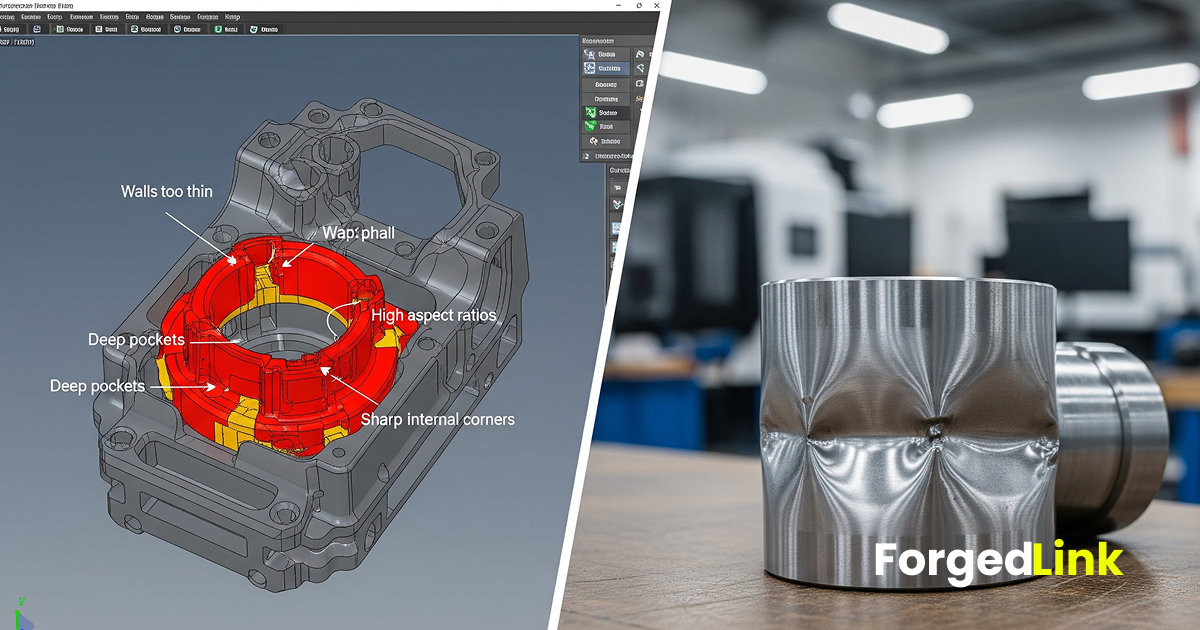
Designing a component in CAD is only the first step in bringing a product to life. While a part may appear correct in a digital model, manufacturing constraints often introduce challenges that are not immediately obvious during the design phase.
Manufacturers regularly receive designs that require revision before they can be produced. These adjustments can delay production, increase costs, or require multiple engineering iterations.
By understanding the most common design mistakes in CNC machining and additive manufacturing, engineers can create parts that are easier and more efficient to manufacture.
1. Walls That Are Too Thin
Thin walls are one of the most common manufacturability issues. Extremely thin features may deform during machining or fail during additive manufacturing.
- Thin walls may vibrate during CNC machining
- Very thin sections may warp during 3D printing
- Structural stability may be reduced
Designs should follow recommended wall thickness guidelines for the chosen manufacturing process.
2. Deep and Narrow Pockets
Deep pockets are difficult to machine because cutting tools have limited reach. The deeper a cavity becomes relative to its width, the more difficult it is to remove material efficiently.
- Deep pockets increase machining time
- Long tools may cause vibration
- Surface finish may degrade
Reducing pocket depth or widening cavities can significantly improve machinability.
3. Sharp Internal Corners
Many CAD designs include perfectly sharp internal corners. In reality, machining tools are cylindrical and always leave a small internal radius.
- Sharp corners require additional machining steps
- Small corner radii increase tooling complexity
- Tool wear may increase
Adding appropriate internal radii allows tools to move smoothly through the geometry.
4. Unsupported Overhangs in Additive Manufacturing
Metal additive manufacturing processes such as selective laser melting require support structures for certain geometries.
- Large overhangs may collapse during printing
- Unsupported areas can produce poor surface quality
- Additional supports increase post-processing work
Designs should consider overhang angles and accessibility for support removal.
5. Excessively Tight Tolerances
Specifying extremely tight tolerances across an entire part is a frequent design mistake.
- Tight tolerances increase machining time
- Additional inspection may be required
- Manufacturing costs increase significantly
Tolerances should be applied only to features where precision is functionally necessary.
6. Ignoring Tool Accessibility
For CNC machining, cutting tools must physically reach the surfaces they are machining. Designs that block tool access can require complex setups or redesign.
- Hidden surfaces may be impossible to machine
- Multiple setups increase production time
- Specialised tooling may be required
Ensuring clear tool access during the design phase simplifies manufacturing.
7. Overly Complex Geometry
Complex geometry may look impressive in CAD software, but unnecessary complexity often increases manufacturing cost.
- Additional machining operations may be required
- Setup times increase
- Inspection becomes more difficult
Simplifying geometry without affecting performance can significantly improve manufacturability.
8. Poor Material Selection
Material choice affects both performance and manufacturing efficiency. Selecting a material without considering machining behaviour can create production challenges.
- Some materials are difficult to machine
- Hard alloys increase tool wear
- Material cost may exceed functional requirements
Choosing materials that balance performance with manufacturability improves production outcomes.
9. Ignoring Post-Processing Requirements
Many parts require additional processes after manufacturing, such as finishing, heat treatment, or polishing.
- Surface finishing may require additional material allowance
- Heat treatment may alter dimensions
- Support removal may require tool access
Designing with post-processing in mind ensures the final part meets functional requirements.
10. Sending Incomplete Manufacturing Information
Even well-designed parts can create delays if manufacturers receive incomplete technical information.
- Missing tolerances
- Unspecified materials
- Unclear finishing requirements
- Incomplete drawings
Providing clear documentation helps suppliers evaluate manufacturability and generate accurate quotes.
Why Avoiding Design Mistakes Matters
Design mistakes often become visible only when a part enters the manufacturing stage. At that point, correcting the problem may require redesigning the component, updating drawings, or re-evaluating the manufacturing process.
By reviewing designs for common manufacturability issues before requesting quotes, engineers can reduce delays and improve collaboration with manufacturing partners.
Conclusion
Designing parts with manufacturing constraints in mind is essential for efficient production. Avoiding common mistakes such as thin walls, deep pockets, unsupported overhangs, and unnecessary tolerances helps ensure designs transition smoothly from CAD to physical parts.
A proactive design review improves manufacturability, reduces production cost, and accelerates the path from design to finished component.
CTA: Review your design and avoid common manufacturing errors before sending parts for production.